Know What Is Happening Across Your Properties Without the Time, Travel, or Cost of Visiting Every Location.
How iVueit captures, verifies, and delivers on-demand property documentation at scale. Verify completed work, identify issues, and make informed decisions with on-site photos, videos, surveys, and documentation.
No More Missing Site Details
No More Guessing What Happened On Site
No More Chasing Down Field Updates
Monitor Your Portfolio Remotely
Every Vue is captured on site, organized, timestamped, and ready for your team before you have to chase anyone down for updates.
See every property in real time.
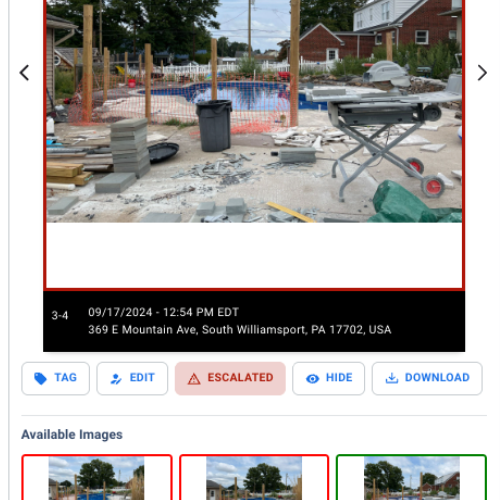
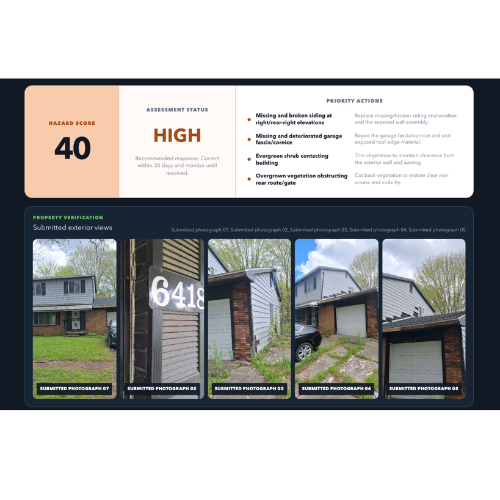
Photos, videos, survey responses, timestamps, and location-backed site data are delivered into one place the moment a Vue is completed.
Stay ahead of disputes.
Every completed Vue creates a documented record of what was observed, when it was captured, and where the visit took place. Reference past conditions, verify vendor work, and investigate discrepancies with supporting field evidence.
Move faster on next steps.
Give your team the field information they need to approve work, escalate issues, dispatch service, or make the next decision without waiting for another site visit.
Add a site photo, portal screenshot, app capture, or product demo video here.
Sample Property
Location details, date, and site metadata
The Vuer Network
iVueit’s field representatives, known as Vuers, are local community members who use the iVueit app to capture real-world site conditions through photos, videos, and structured surveys. Together, they power a nationwide network that delivers independent, on-the-ground visibility at scale.

The client submits a Vue request with location, timing, and survey details.

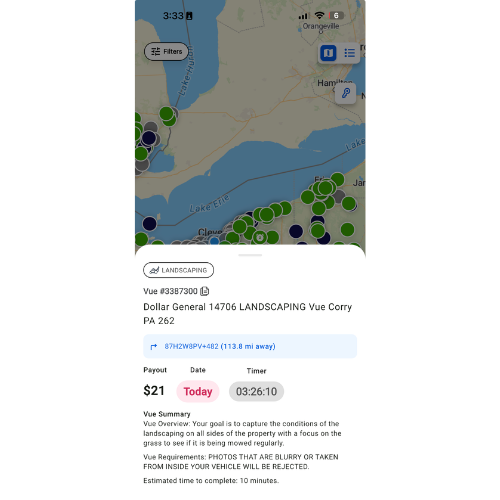
Qualified nearby Vuers see the Vue inside the iVueit app and claim the work.
The Vuer travels to the site and follows the survey step by step.

The Vuer submits geotagged and timestamped field results.
The Vue enters iVueit’s human quality control review queue.
Approved results become available in the client portal or connected system.
Fresh Site Visit. Every Time.
Rather than relying on a traditional field-service workforce with fixed territories and schedules, iVueit uses a distributed Vuer Network that can be activated as verification needs arise across a portfolio.
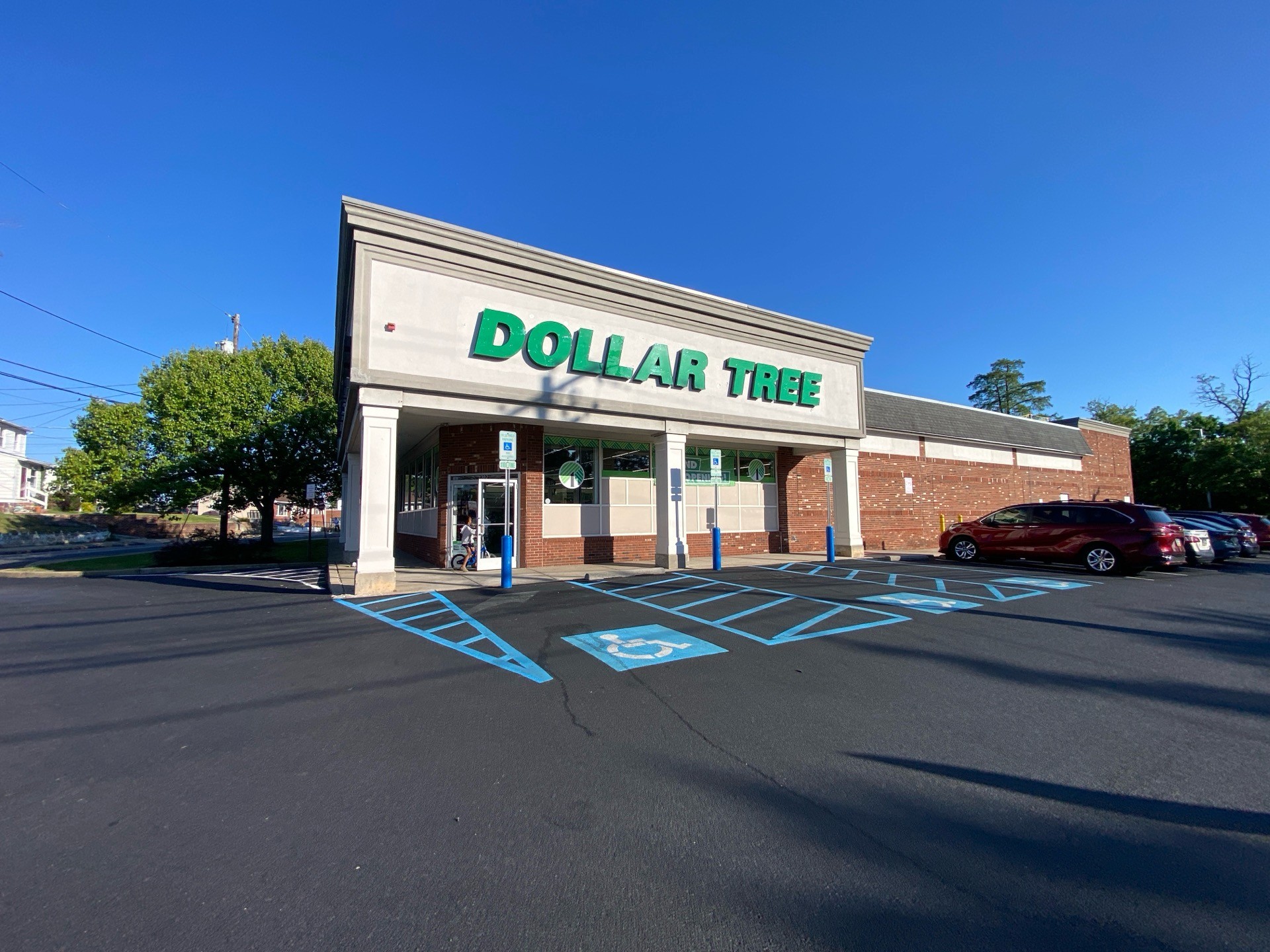
Every Vue requires a fresh, in-person visit to the requested location. iVueit does not recycle previously captured photos, use Google Street View, substitute aerial imagery, or conduct virtual photography in place of the requested site visit.

Turning Business Requirements Into Standardized Field Data
A distributed field network is only valuable if hundreds or thousands of Vuers can return information in a consistent format. iVueit turns client requirements into structured field workflows that Vuers can reliably execute.
Start with the business question.
Clients do not need to determine exactly how a Vuer should capture every requirement. The iVueit team starts with the outcome the client needs, then translates that requirement into a field-ready workflow.
Build surveys Vuers can execute consistently.
iVueit converts the desired outcome into a standardized survey that defines exactly what the Vuer should observe, photograph, measure, answer, and document.
Adapt the workflow with conditional logic.
If a Vuer confirms property damage is present, the survey can automatically require additional photographs, a description, measurements, and supporting documentation.
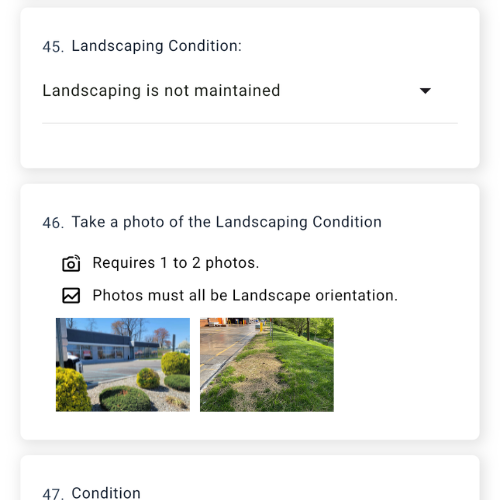
Capture front landscaping from straight-on angle.
Does landscaping appear completed according to scope?
If “No,” require close-up photos, notes, and issue category.
From Client Checklist to Field-Ready Survey
iVueit’s operations team can build a survey from an existing client checklist, scope of work, Vue form, standard operating procedure, or desired reporting outcome.
The team evaluates how each requirement should be presented to the Vuer so instructions are clear in the field and the resulting information is useful to the client.
A Field Network Built for Consistent Documentation
iVueit combines structured survey design, Vuer Network scale, turnaround flexibility, and human quality control so organizations can collect repeatable site-level documentation across portfolios.
Clear Instructions Replace Guesswork
Vuers are not presented as licensed or certified property inspectors unless a specific Vue requires separate qualifications. Instead, the iVueit model relies on structured survey design, clear field instructions, visual examples, Vuer performance history, and human quality control to produce consistent documentation.
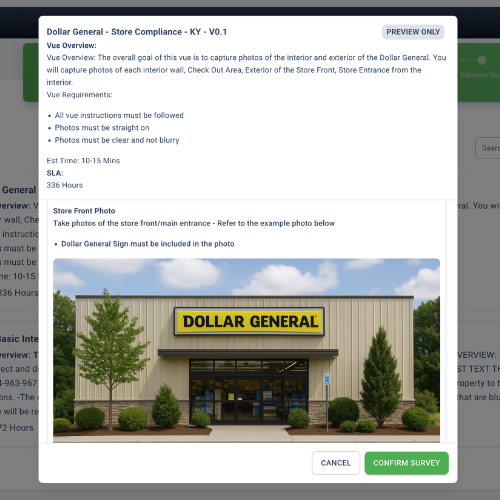
Every required step tells the Vuer what needs to be captured. Example photos can show the expected subject, orientation, distance, or level of detail, helping organizations gather repeatable visual information without requiring every Vuer to independently interpret client standards.

Coverage That Can Flex Across a Portfolio
Approximately 500,000 Vuers are registered with iVueit, with roughly 30,000–50,000 active during a typical month. Vuer density allows Vues in many major metropolitan areas to be claimed quickly, while the broader geographic footprint helps iVueit support portfolios extending into smaller markets and rural communities.
This model is useful for organizations with dispersed locations that would otherwise require employees, regional contractors, or traditional service providers to travel significant distances for relatively simple verification work.

 Vue photo
Fast Results, With Timing Based on Location
The national average from Vue submission to completed, quality-controlled results is typically 36 hours. Turnaround varies based on location and Vuer density.
Major metropolitan Vues can sometimes be completed within hours. Rural and remote markets generally require more time because fewer active Vuers may be located nearby.

Built In Quality Control For Every Vue
Every Vue goes through iVueit's quality control process before results are released to the client. Submissions are checked for location accuracy, scope completion, and photo quality to ensure the documentation meets the requirements of the request.
If a Vue doesn't meet these standards, it may be returned to the Vuer for correction or reassigned for completion. Clients aren't charged additional fees when a redo is required due to a Vuer error.
Who Gets Access to Your Properties?
iVueit controls who visits your properties with three safeguards: Vuer tiers with third-party background checks for interior and sensitive Vues, letters of authorization on your letterhead, and geo-located lockbox codes that are released only when the assigned Vuer is on site during the scheduled window.
Background-checked Vuers for sensitive sites.
Preferred Vuers have established a strong performance history on the platform and complete a significant portion of iVueit’s Vue volume.
Elite Vuers have completed third-party background screening and are required for interior Vues. Clients may also request Elite Vuers for exterior Vues involving sensitive, controlled-access, or higher-security locations.
On-site staff can verify this assignment using the contact listed on the letter.
Proof of assignment, on your letterhead.
For commercial or interior Vues where appropriate, Vuers can carry a letter of authorization on the client’s letterhead.
The letter identifies the Vuer, explains the purpose of the visit, and provides contact information that on-site personnel or security teams can use to verify the assignment.
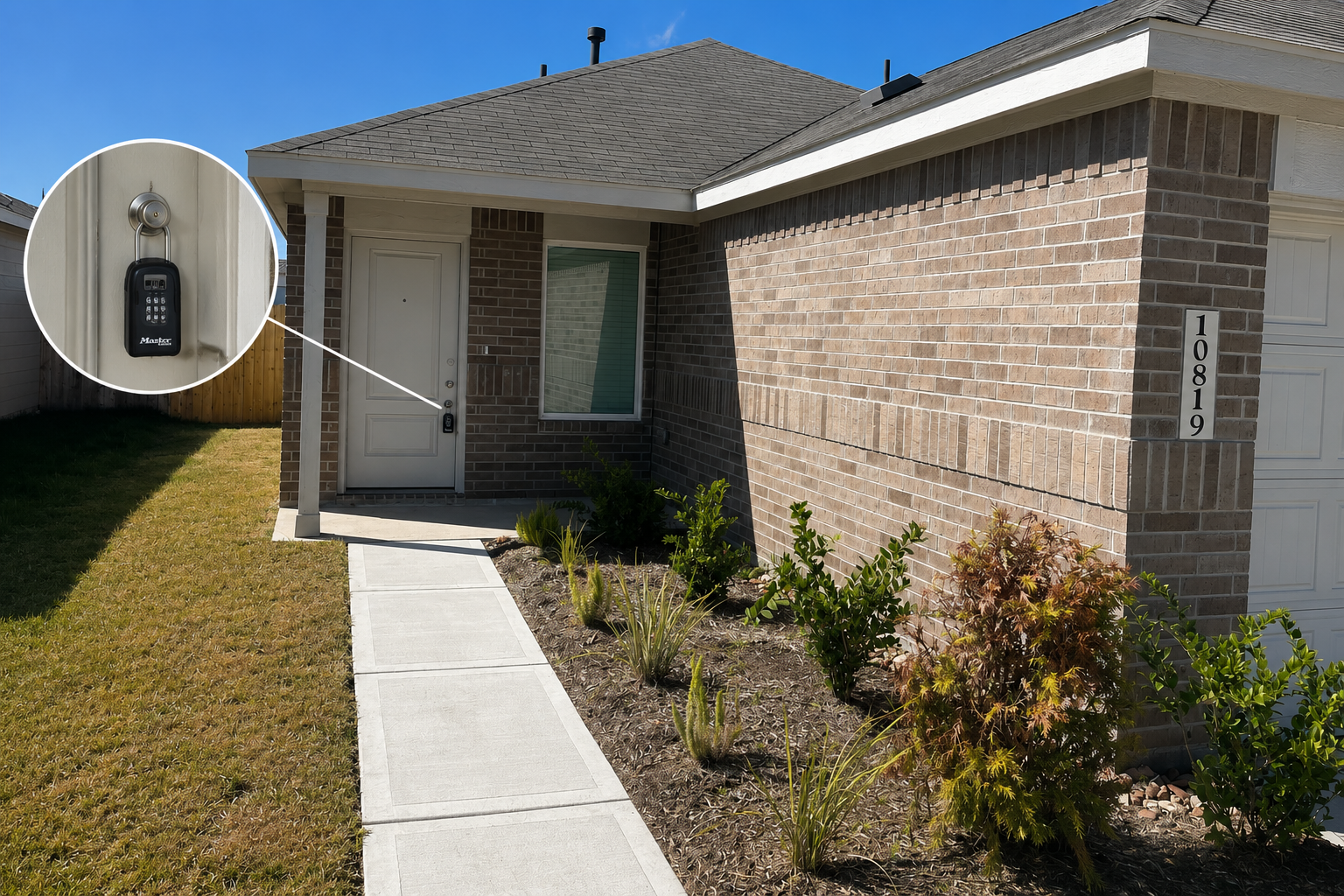
Access codes unlock on site, on time.
For Vues that require entry, sensitive access details such as lockbox codes can stay hidden until the assigned Vuer is confirmed at the property during the scheduled time.
Instead of sharing a code days ahead of the visit, access is tied to the right Vuer, the right location, and the right window.
North American Coverage for Distributed Portfolios
iVueit operates across all 50 U.S. states, Canada, Puerto Rico, and Guam, helping teams collect site-level documentation across major metros, suburban markets, small towns, and many rural communities.
Coverage across metro, suburban, small-town, and rural markets.
Coverage spans major metropolitan markets, suburban areas, small towns, and many rural communities. iVueit routinely supports nationwide programs for enterprise organizations with thousands of locations across retail, banking, property management, facilities, insurance, and other distributed portfolios.
Recurring nationwide Vue activity helps maintain Vuer density outside major population centers. Rural U.S. Vues typically require 3–7 days rather than the national 36 hour average.
Canadian coverage is available, with strongest density in major markets.
Canadian coverage is available, with the strongest Vuer density in major metropolitan markets including Toronto, Vancouver, and Montreal.
Rural Canadian locations can also be serviced, although turnaround may be slower or less predictable than in major markets.
Rural Canadian turnaround may be slower or less predictable than major metropolitan markets.
Extremely remote or inaccessible sites may require review.
Extremely remote areas, including off-road locations or properties without basic access infrastructure, may be difficult or unavailable to service.
iVueit currently focuses its Vuer Network coverage in North America.
What iVueit Can Verify
iVueit supports verification, compliance, documentation, and data-collection programs across commercial, residential, retail, facilities, insurance, and property management environments.
A field documentation library built around real operational needs.
Exterior + Interior Documentation
- Exterior drive-by condition reports
- Interior vacant property documentation
- Visible property damage
- Property preservation verification
Occupancy + Turnover Support
- Occupancy checks
- Move-in documentation
- Move-out documentation
- Make-ready documentation
Service Quality Verification
- Janitorial quality assurance
- Vendor service verification
- Parking lot assessments
- Service deficiencies
Exterior Maintenance Proof
- Landscaping and grounds assessments
- Snow and ice verification
- Exterior site condition checks
- Seasonal service documentation
Risk and Damage Triage
- Post-storm and disaster triage
- Safety hazards
- Conditions outside established standards
- Emergency visual documentation
Signage + Lighting Audits
- Signage audits
- Daytime lighting surveys
- Nighttime lighting surveys
- Exterior brand condition checks
Shelf + Shopper Visibility
- Retail shelf compliance
- Merchandising compliance
- Mystery visits
- Secret-shopper visits
Posting, Progress, and Proof
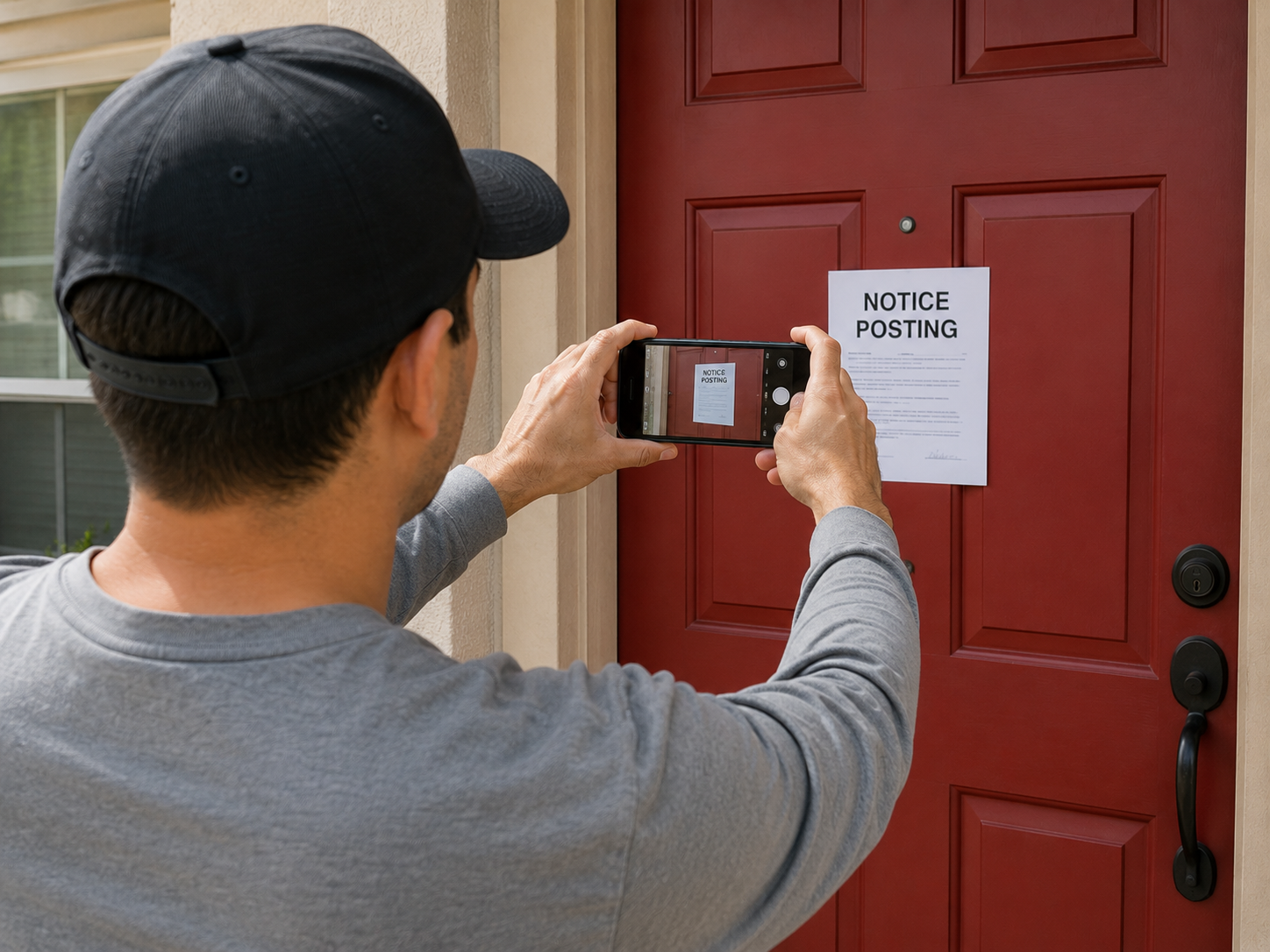
- Notice postings
- Construction progress documentation
- Maintenance progress updates
- Photo-backed completion proof
Built Around Your Workflow
- Customized visual compliance programs
- Custom surveys and field instructions
- Photo, video, and measurement requirements
- Conditional logic and follow-up questions
Flexible Field Capture, Clear Operating Limits
Vues can include photos, measurements, video, and structured survey responses based on the documentation your team needs. iVueit also defines clear field limits so every request is built around safe, ground-level capture.
Specified by survey requirements.
Short Measurements, Larger Dimensions, and Survey Requirements
Vuers can capture measurements using a physical tape measure when precise short measurements are required.
The iVueit app also supports AR-assisted measurement for larger dimensions such as room widths and surface areas. The appropriate measurement method can be specified within the survey based on the client’s requirements.
More Context When Still Photos Are Not Enough
Video capture can be added to Vues when motion, surrounding context, or a more comprehensive visual record is needed.
Up to five minutes of total video can be collected per Vue and divided into multiple clips. Videos are made available through the client portal.
Vuers may photograph or zoom from ground level when elevated features are requested.
Clear Boundaries for Safe Field Documentation
Vuers work from ground level. Vues do not include ladder access, rooftop access, elevated physical assessments, Matterport-style 3D scanning, or professional floor-plan creation.
When documentation of an elevated feature is requested, Vuers may photograph or zoom in on the area from a safe ground-level position.
One Place to Manage Every Completed Vue
Completed Vues are delivered through the iVueit client portal, giving organizations one location to manage visual documentation across their portfolio.
Connect Vue Activity Directly to Your Existing Systems
iVueit offers a REST API for organizations that want Vue activity, status updates, completed results, and field documentation connected directly to existing technology systems.
Talk to Our TeamSend, monitor, and retrieve Vue data.
Built for enterprise integration needs.
Authentication supports OAuth2 and Azure client credential flows.
The iVueit engineering team also works with enterprise clients and technology partners on custom integrations.
Your Vue photos and data stay yours.
Clients own the photos and data generated through their Vues. iVueit does not sell or distribute client data to third parties.
Historical Vue information remains accessible through the client portal and can be exported when needed.
Security & Compliance
iVueit has completed a SOC 2 examination, reflecting our commitment to protecting customer data and maintaining independently evaluated security controls.
Enterprise Scale, Captured Site by Site
iVueit supports high-volume verification programs across thousands of locations, while still producing site-level documentation teams can review, filter, export, and act on.
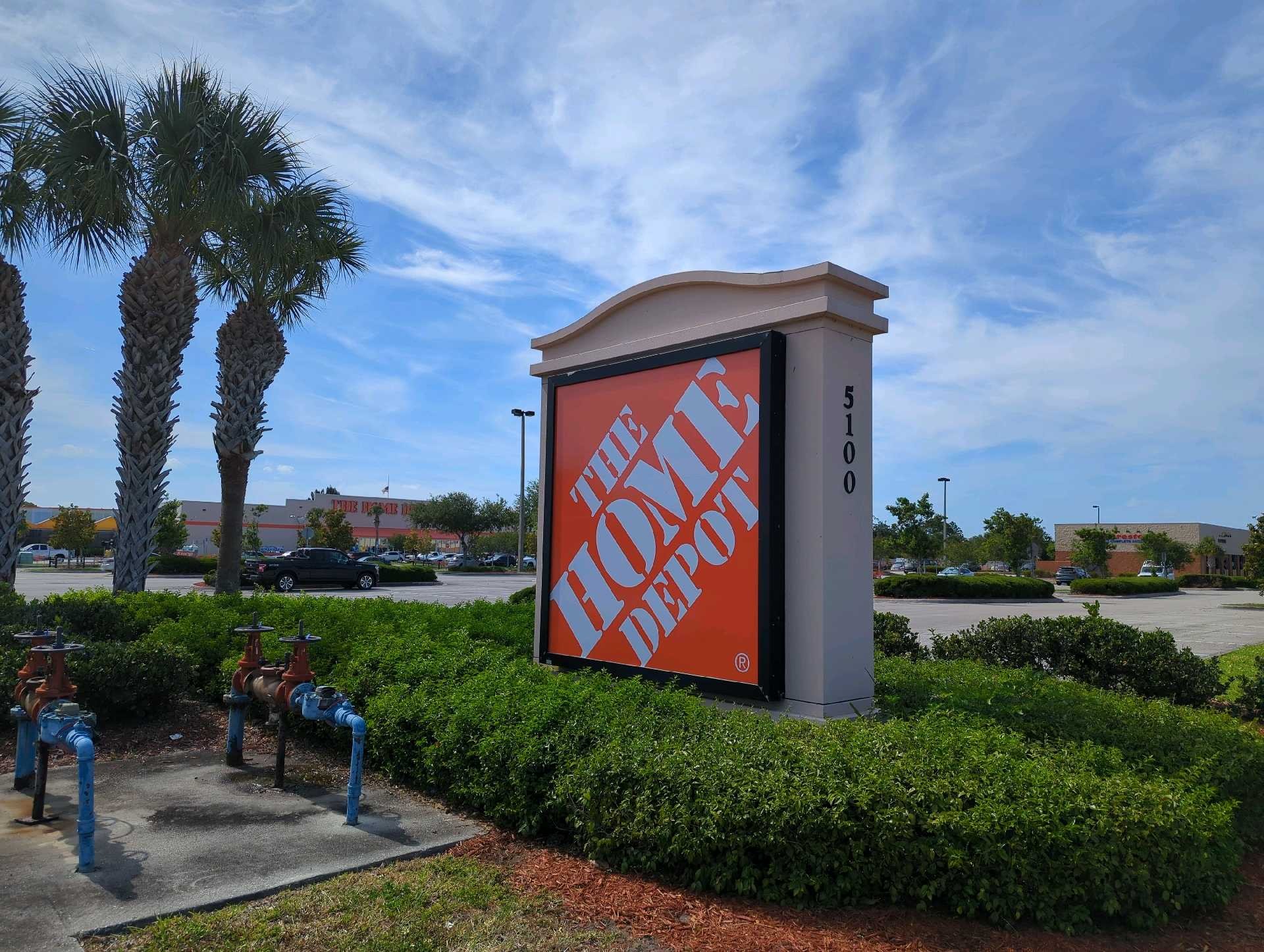
National programs across stores, signage, lighting, merchandising, and exterior conditions.

Field proof for janitorial, landscaping, snow, vendor work, and parking lot conditions.
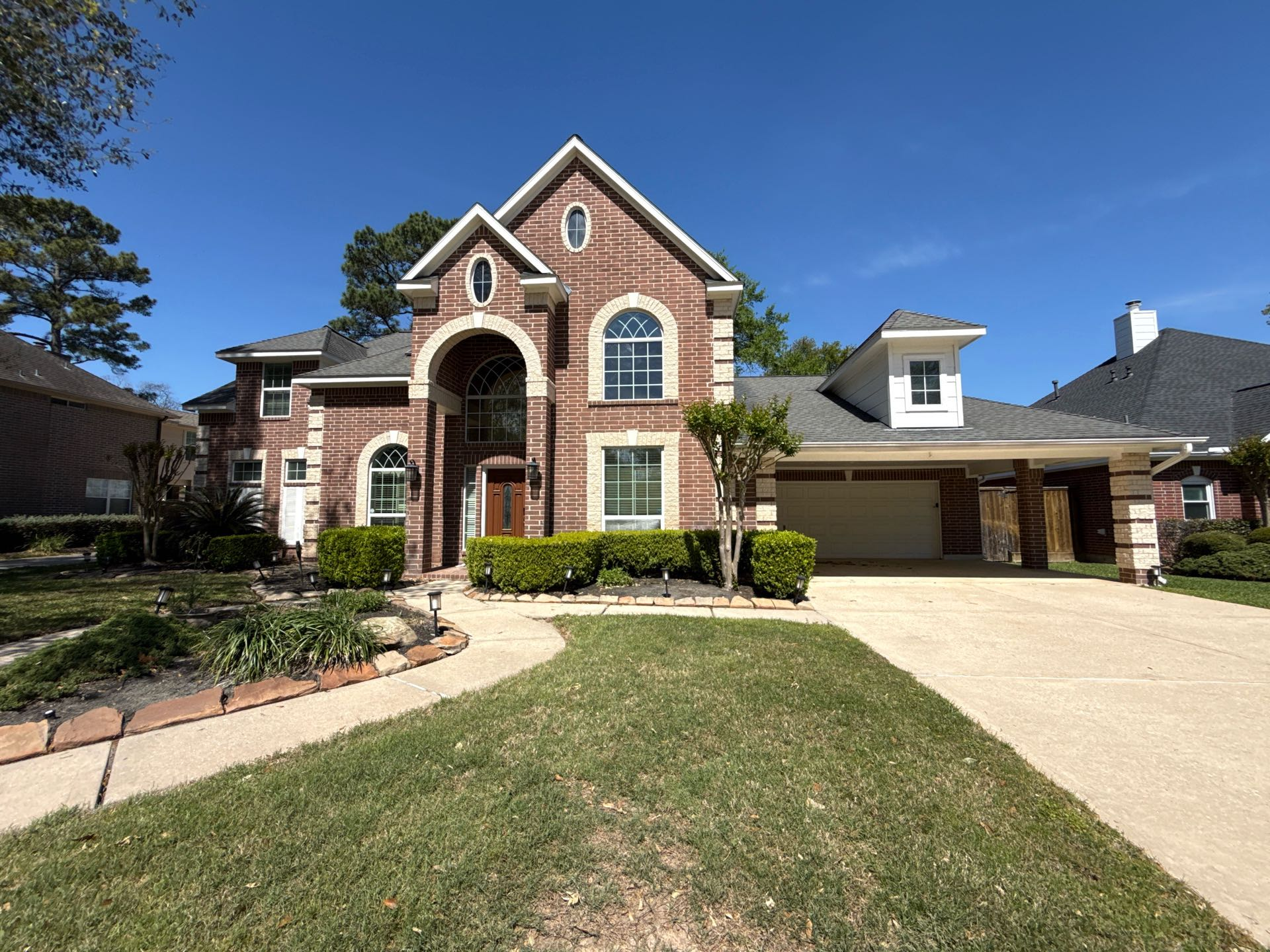
Occupancy, move-out, make-ready, property condition, and transition documentation.
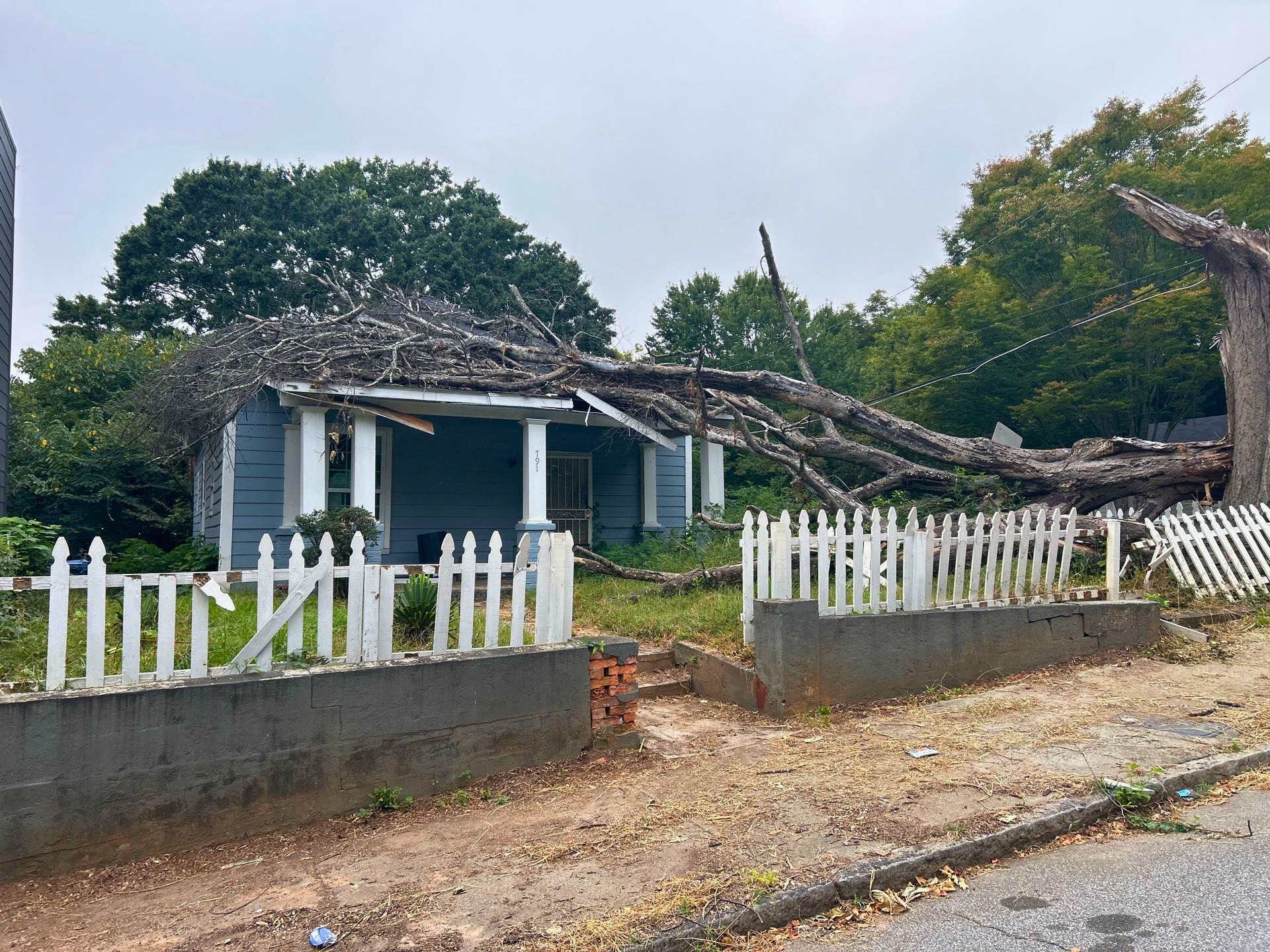
Post-storm triage, exterior conditions, damage documentation, and claim support.
Some programs involve recurring verification across thousands of locations, while others use iVueit for targeted Vues triggered by work orders, claims, maintenance activity, property transitions, or compliance requirements.
Frequently Asked Questions
Answers to common questions about iVueit’s Vuer Network, turnaround times, coverage, pricing, and data access.
How long does it take to get Vue results?
The national average is typically 36 hours from Vue submission to completed, QC-reviewed results. Metro areas can often be completed the same day, while rural and remote locations generally take 3–7 days because of lower Vuer density. Urgent priority Vues are available when faster turnaround is required.
Who are iVueit’s Vuers?
Vuers are local community members who use the iVueit app to claim available Vues near them. They make a fresh visit to the requested property and complete the specific survey assigned to that Vue. The Vuer Network includes approximately 500,000 registered Vuers, with roughly 30,000–50,000 active during a typical month.
How does iVueit get consistent results from a distributed Vuer Network?
iVueit uses structured survey development to translate each client’s business requirements into precise field instructions. Surveys can include required photos, example images, questions, measurements, videos, conditional logic, and follow-up requirements. Vuers follow the same defined workflow for each Vue, and every submission is reviewed through human quality control before being released to the client.
Can iVueit build a custom survey for our Vue program?
Yes. iVueit’s operations team can translate a client checklist, scope of work, standard operating procedure, or business requirement into a field-ready survey. The team determines what the Vuer should photograph, observe, measure, answer, or document so results can be collected consistently across locations. Most surveys can be configured within 36 hours depending on complexity.
Do iVueit Vuers have background checks?
iVueit Vuers are organized into multiple tiers. Standard Vuers are generally eligible for exterior work. Preferred Vuers have established a strong performance record on the platform. Elite Vuers have passed third-party background screening and are required for interior Vues. Clients can also request Elite Vuers for sensitive or controlled-access exterior locations.
How does iVueit make sure photos are from the right location?
Every Vue goes through human quality control before results are released. The QC team confirms GPS location data, verifies that the required scope was completed, and reviews photo quality. If a Vue does not meet the requirements, it can be returned to the Vuer for correction or re-dispatched.
What happens if a Vue comes back wrong or incomplete?
If a Vue does not meet the required scope or quality standards, iVueit can return it to the Vuer for correction or re-dispatch the assignment. If the issue was caused by an iVueit error, the client is not charged for the redo.
How much does an iVueit Vue cost?
Vue pricing is based on scope. Exterior drive-by Vues can start around $18, interior plus exterior Vues around $35, and comprehensive property preservation Vues around $50. Urgent priority Vues are typically priced at 2x the standard rate. Exact pricing depends on the client’s survey and Vue requirements.
Is there a monthly fee or subscription?
Most clients begin with a $350 monthly minimum that applies toward Vue usage. It functions as a minimum spend rather than an additional platform fee. High-volume clients and platform partners may have different commercial arrangements.
What states and countries does iVueit cover?
iVueit operates across all 50 US states, Canada, Puerto Rico, and Guam. Vuer density varies by market, with the fastest turnaround generally available in metropolitan areas. Rural and remote Vues may require additional time.
Can iVueit handle rural or remote locations?
Yes. iVueit routinely supports distributed enterprise portfolios that include small-market and rural locations. Rural US Vues typically take 3–7 days compared with the national 36 hour average. Extremely remote locations without practical road or property access may be unavailable.
Does iVueit have an API?
Yes. iVueit offers a REST API that can support Vue creation, survey assignment, status monitoring, and retrieval of completed Vue data and photos. The iVueit engineering team can also work with clients and technology partners on custom integrations.
Who owns the photos and data from a Vue?
The client owns the photos and data generated through its iVueit program. Data can be accessed through the client portal and exported for reporting, documentation, compliance, or integration with other systems.
What types of Vues can iVueit perform?
iVueit supports exterior and interior property condition documentation, occupancy checks, move-in and move-out documentation, janitorial QA, landscaping assessments, snow and ice verification, parking lot surveys, signage and lighting audits, retail compliance, notice postings, construction progress documentation, property preservation, vendor verification, disaster response documentation, and customized Vue programs. Surveys can combine photos, questions, measurements, video, and conditional logic based on the client’s requirements.
Ready to See Every Site Without Sending a Team?
Tell us what you need verified, where, and how often. The iVueit team will help you turn your checklist into a field-ready survey and plan a program that fits your portfolio.